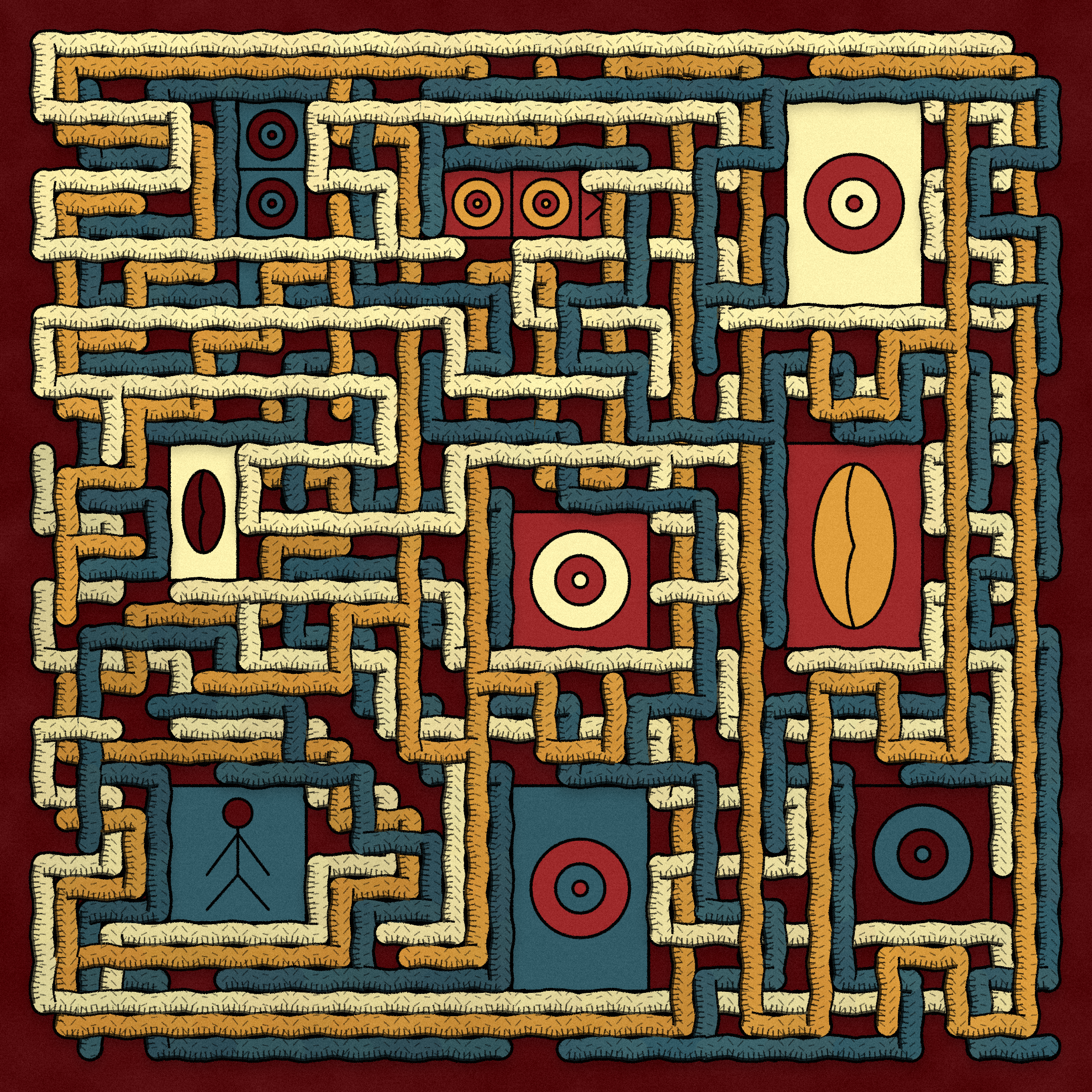
Intertwined #202 collected by celine
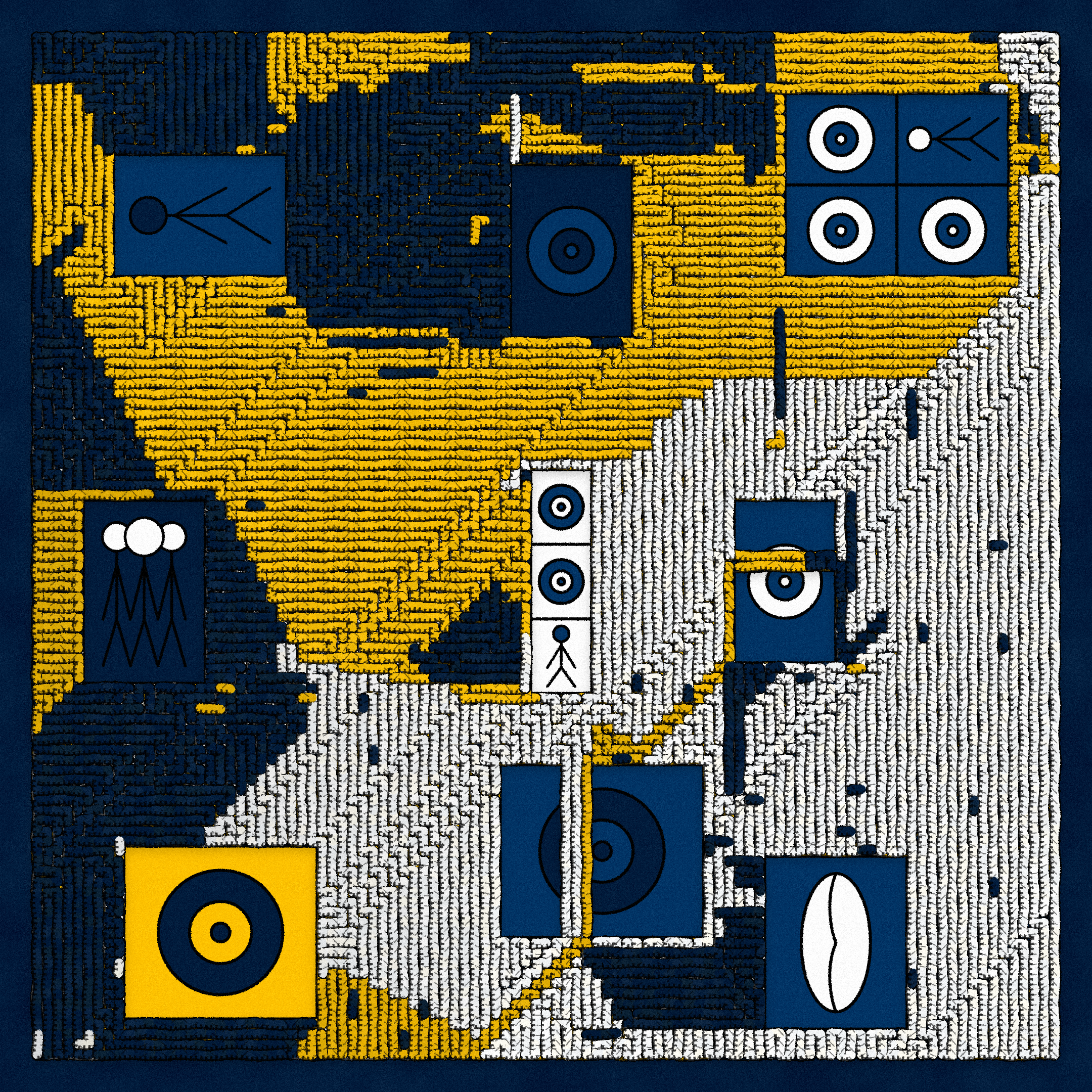
Intertwined #182 collected by Cubezos
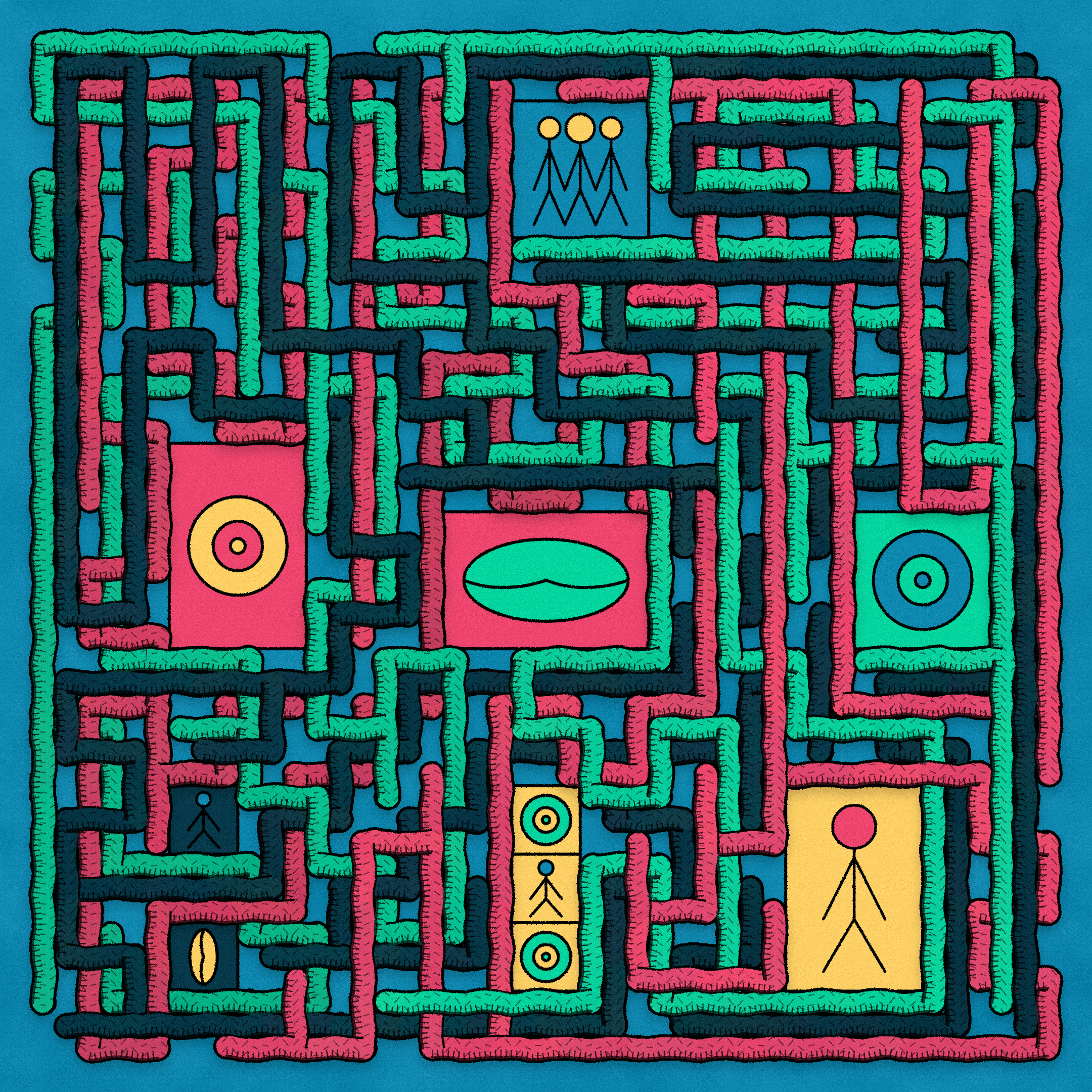
Intertwined #110 collected by Radix
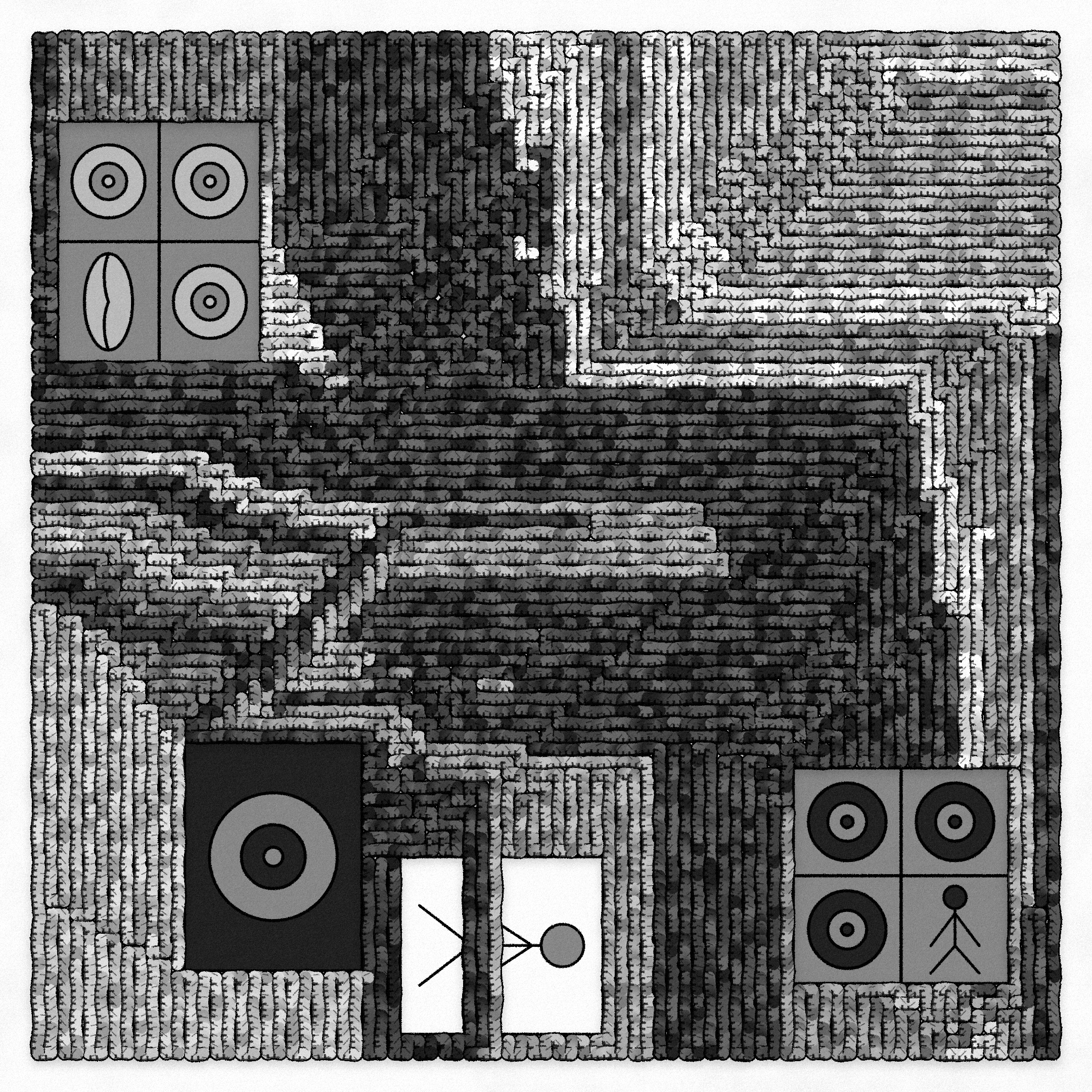
Intertwined #226 collected by ballislife.tez
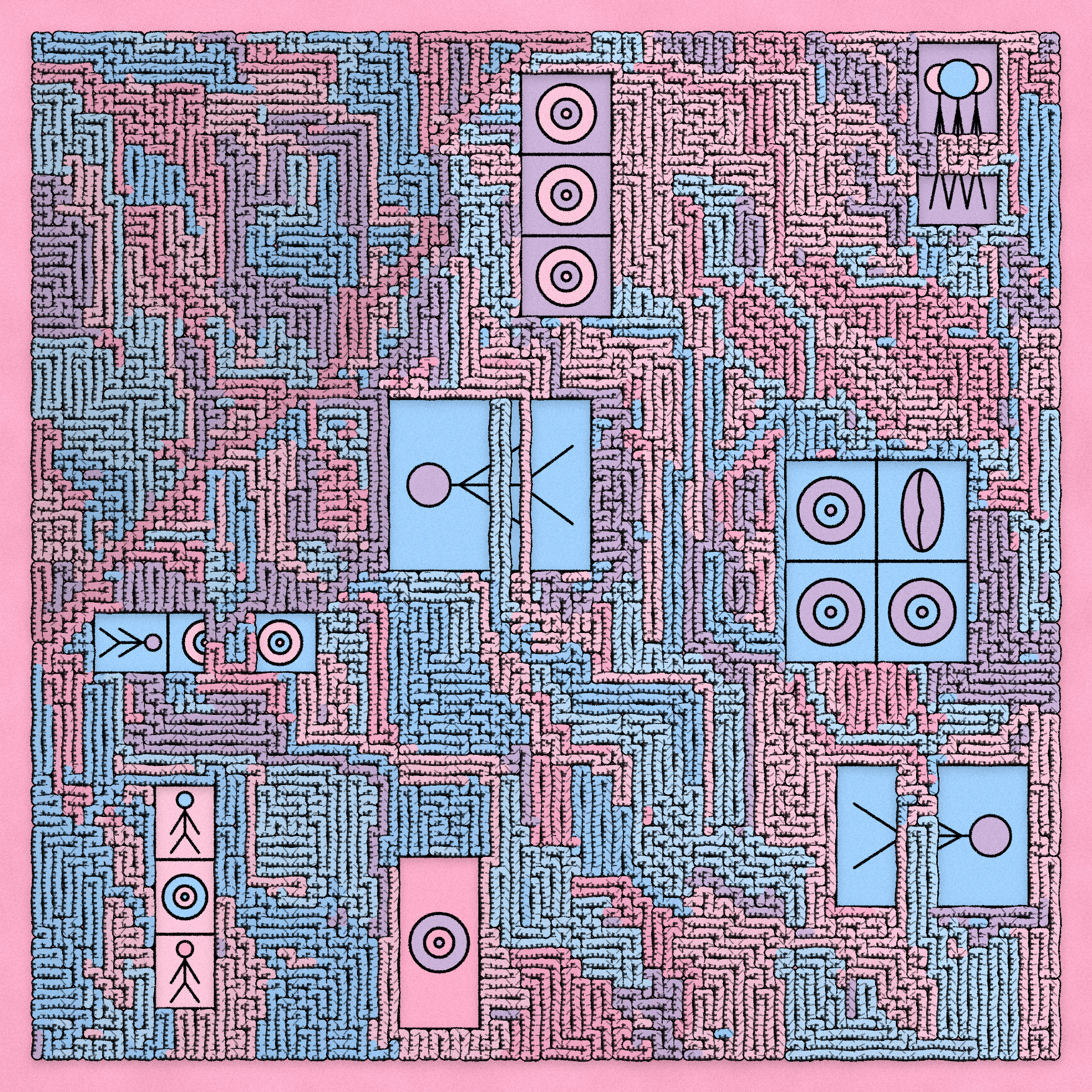
Intertwined #210 collected by tz1Na7eAxDUHsmxEYLFVKheL37S2fPvuYLV6
This is a post-launch exploration of Intertwined, my genesis collection on fxhash. Intertwined is a generative art series made entirely with code about people and how they interact in this inter-connected world.
Intertwined sold all 256 pieces at 5xtz in ~4 minutes. At the time of writing, 52 pieces were sold on the secondary market generating 397.8xtz. The response and appreciation exceeded my expectations and I'm really grateful to all the supporters of my art--collectors, friends, and family. You can browse the secondary market here: https://www.fxhash.xyz/marketplace/generative/7303 and check out Zancan's tool fxfam to explore the collection and features: https://fxfam.xyz/7303.
This post will primarily go over the implementation details that went into creating Intertwined. I hope both artists and collectors benefit from the increased insight into my creative for this series.
Intertwined began as a study on how to overlap randomized shapes at many intersection points while retaining consistency and physical accuracy. In the field of computer graphics, this problem arises in the painter’s algorithm when dealing with cyclical shape overlap. When I began working on the series, I envisioned vines growing alongside buildings. Over time, Intertwined moved in a more abstract direction while retaining influences from that foundational idea. Anna Lucia's collection, Loom: https://www.artblocks.io/project/213, was also an inspiration and was the reason I started thinking about overlap in the first place.
Reminiscent of yarn and textiles, or vines and roots, Intertwined has complex, weaving and intersecting paths and a textured look like that of ink on card stock paper. Representational glyphs intersperse the pieces and interact with the paths by forming non-crossable boundaries.
The foundation of Intertwined is a path that fills a grid similarly to how maze-generation algorithms behave (minus the removal of walls). When layering multiple such paths at offsets such that they intersect only at non-parallel oriented sub-paths, consistent overlapping can be achieved. Some outputs from Intertwined follow from this observation. Others, which are not physically realistic, violate it. Each piece also loads with an animation that shows its construction.
The paths live on their own discrete 2D grid and are drawn incrementally by drawing each subpath spanning one grid cell in length during each frame. The sub-paths across all paths are drawn simultaneously in random order, causing random overlap at each cell in the grid. A path travels through the grid until it is entirely filled (i.e. the path has crossed each grid-cell). There is a collision-detection mechanism that prevents crossing sub-paths of the same path. This can lead to a sub-path reaching a dead-end although the path hasn't yet finished. To counter-act this, each sub-path is added to a queue from which it can continue from (i.e. backtrack).
As mentioned earlier, if the paths are offset by some percentage of the area of a grid-cell, then sub-paths can only overlap when they are non-parallel. Pieces with the "Realistic" "Type of Overlap" feature behave like this. Below is a visualization of the grid that the paths live in.
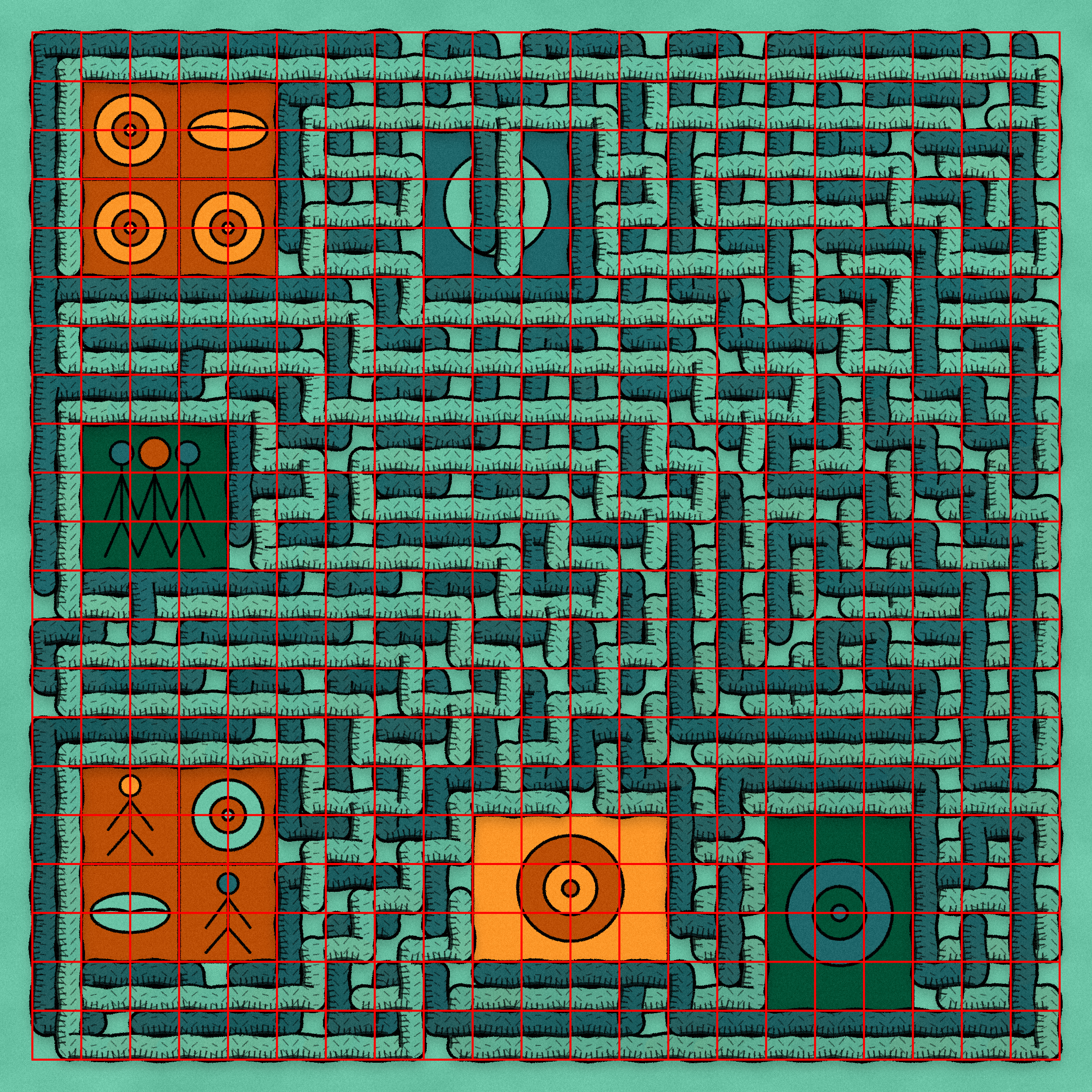
Intertwined #12 collected by leodudeman.tez "Type of Overlap": "Realistic" with the grid visualized
You can see above that each grid cell has two sub-paths (light-green and dark-green in this example) taking up an equal percentage of the cell. They can either be parallel or perpendicularly crossing, but they can never be parallel and crossing because of the prior invariant. As such, you can follow a single path through the grid and maintain realistic overlap. Pieces with this feature have at most three paths and at least one path in total.
The other "Type of Overlap" is "Interpretive", which is essentially a violation of the established invariant. This feature is achieved by drawing each path at the same exact positions in the plane, i.e. without offsets, such that parallel sub-paths layer on top of each other. You can think of one path superseding and erasing another in this context.
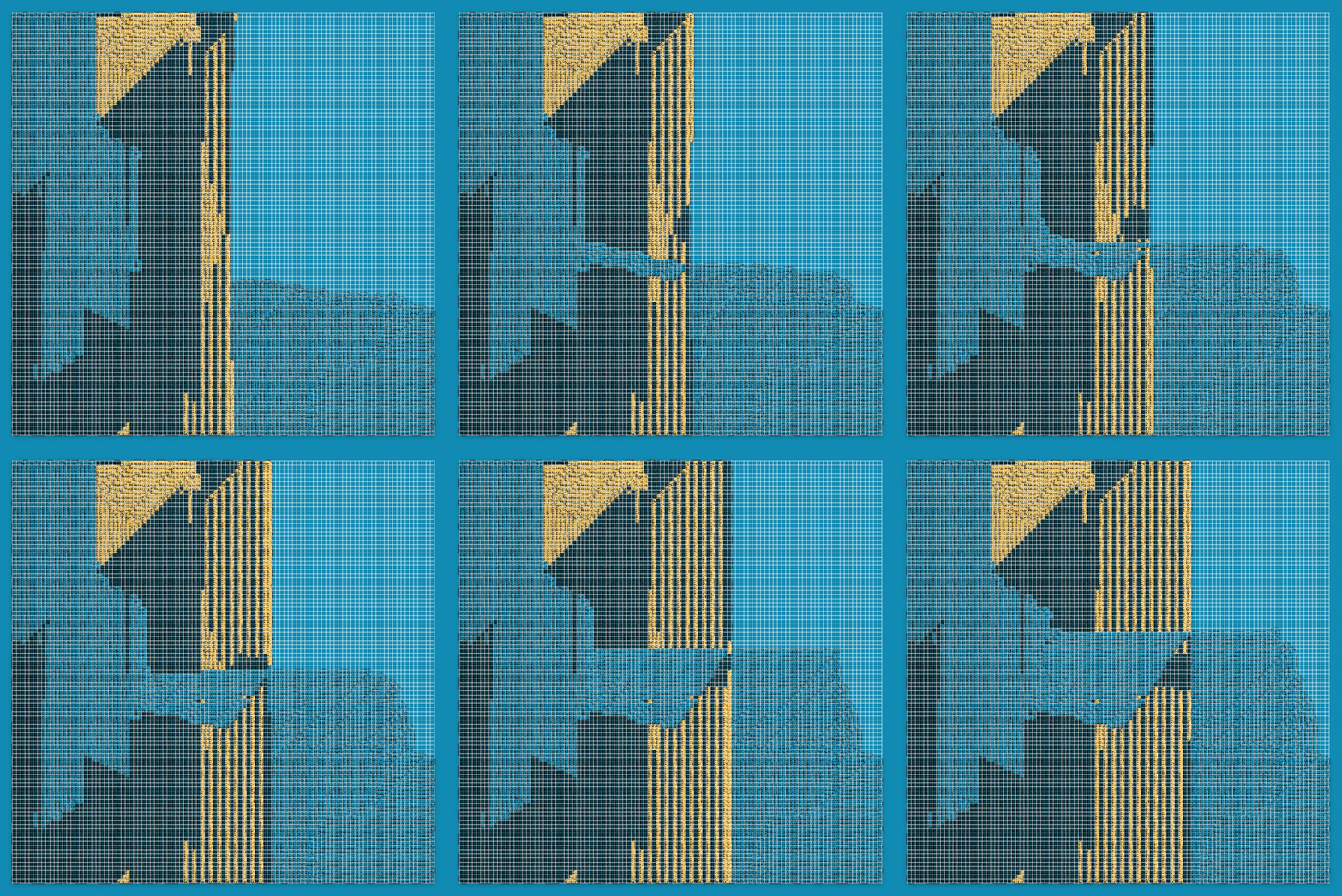
Intertwined #158 collected by mx___ with "Type of Overlap": "Interpetive" with the grid visualized
Here you can see that each grid cell contains only one path (or rather each shows only one). This particular piece also displays interesting emergent behavior where stripes are generated due to the overlap.
The "Grid Dimension" feature tracks the grid size in one dimension (i.e. the grid dimension squared is the grid size) and there are 6 possible sizes ranging from 15 to 101.
The "Interpretive" pieces generally have larger grids and therefore thinner paths than the "Realistic" pieces since the patterns they generate tend to be more "large-scale" and landscape like.
It is worth mentioning that "Realistic" pieces with one path are similar to "Interpretive" pieces in that the path takes up the entirety of the cell. In this case, the path can be of one color or have the "Random Fills" feature which will switch to a random color from the palette when backtracking.
Specifically, "Realistic" pieces with one path (that don't have the "Random Fills" feature) can only have grid sizes of 41 and 61, pieces with 2 paths can only get sizes of 15, 21, 41, and pieces with 3 paths can only get 15, 21. Pieces with "Interpretive" or "Random Fills" can have sizes of 81, 101, 151.
The animation was surprisingly simple to achieve with the use of a function closure that implicitly stored the current state. Calling the closure in each frame would draw all the sub-paths for the frame. Using a closure made adding animations very straightforward, and I highly recommend taking a look at this JS language feature if you haven't yet.
For reference, the closure would look something like this:
function drawShape(...constructorParams) {
  // use constructorParams to create initial state here
  const grid = new Grid(...constructorParams);

  return (...paramsThatChangePerFrame) => {
    // initial state gets captured here

    // use paramsThatChangePerFrame to draw the frame
    grid.draw(...paramsThatChangePerFrame);

    return grid.isFilled(); // signals whether the generation should continue
  };
}

let continueFn;
setup() {
  // creates the closure
  continueFn = drawShape(...constructorParams);
}

draw() {
  const done = continueFn(...paramsThatChangePerFrame);
  if (done) {
    // generation finished
  }
}
I've been speaking as if there was only 1 grid. In fact, each path lived on its own grid and had its own closure. This made it extremely convenient to track state since there was no interdependence (there didn't have to be due to the aforementioned invariants).
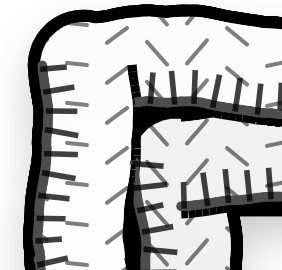
A closeup from Intertwined #137 at 3240px collected by charliesurf.tez before post-processing
A lot of work went into creating a unique inked style reminiscent of drawn yarn for the paths. The style can be broken down to a handful of techniques: fill, hatching, outline, pattern compositing, and vertex displacement.
Though the paths appear to a solid fill color, a shade is interpolated through the grid, i.e. the number of completed cells divided by the number of total cells. This adds a layer of shading which is more obvious in certain pieces, such as the following one where the bottom left smoothly transitions to brighter colors diagonally to the upper right without any noticeable seams.
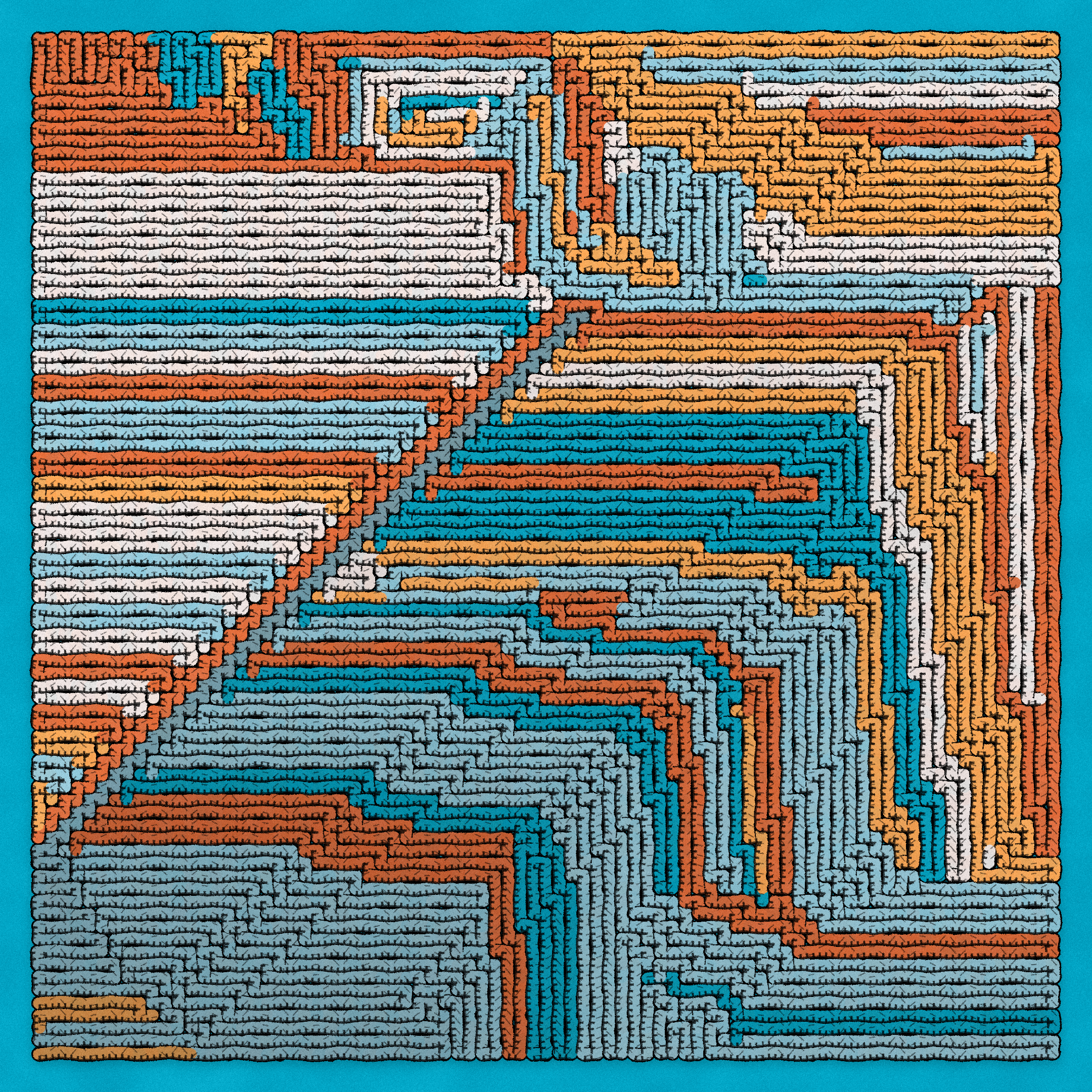 Intertwined #37 collected by entertainment
In the closeup from #137 above, you can see multiple small lines perpendicular to the subpath and at its edge, and another lighter-colored parallel line at the edge of the sub-path for shading. These subtle characteristics are major contributors to the yarn, inked style.
Each path is traced with an outline. One way to accomplish an outline is to draw the path at a slightly larger size prior to drawing the fill. However, because the paths are drawn in parts, this wouldn't work since the outline would intersect the middle of the prior drawn subpath. I ended up drawing the outline as such to another canvas and compositing the fill canvas on top of it. This generally worked well aside from some edge cases that were solved. I won't go into the details here since its difficult to contextualize without more intimate knowledge.
In the closeup from #137 above, you can see small wave-like or diagonal lines interspersing the path at equal distances. This was achieved by displacing the y-coordinate of horizontal lines rendered to another canvas based on the sine of the x coordinate and compositing the lines onto the paths. This effect adds more texture resembling the loose hairs of yarn.
If you look at the sub-paths, none of them are absolutely straight. In fact, they look wobbly or wavey. To achieve this I "increased" the resolution of sub-paths so that each line became a composition of many lines. Then each vertex within a sub-path was displaced using sine to make the sub-path appear wavey. Throw in some additional randomness and this effect makes the paths look less like pipes and more natural like yarn.
To get this correct and consistent the displacement had to take into account whether a sub-path was flipped; flipping would occur when a path would travel in an opposite direction (i.e. from right to left instead of left to right). Essentially, the drawing of the path would have to be flipped back to the correct orientation or else seams would form. The gradient fill however would not be flipped.
Most pieces from Intertwined contain non-crossable rectangular boundaries filled with symbols I call windows.
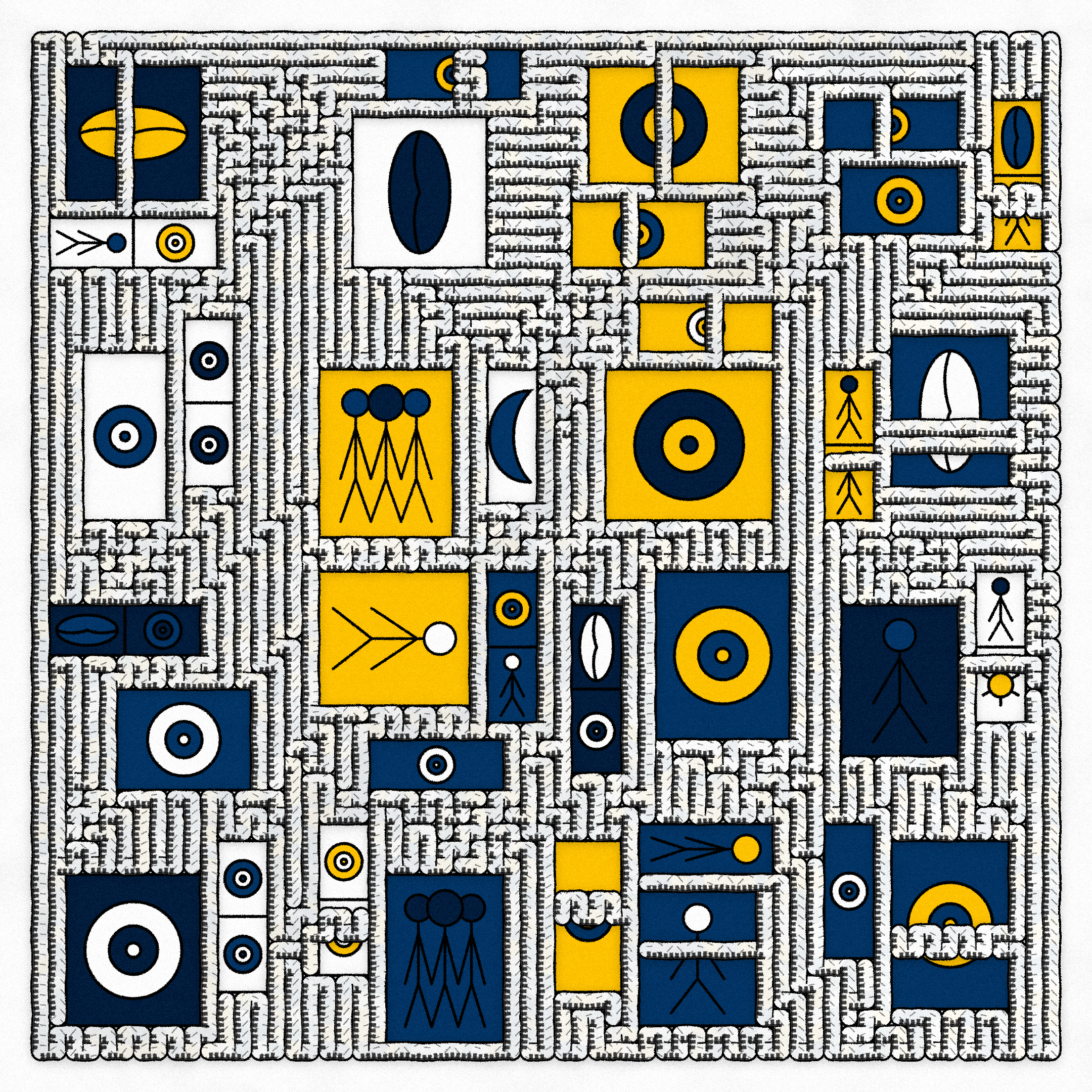
Intertwined #208 with the feature "Quantity of Windows: High" collected by Trinity
I interpret the windows in two ways: literally, they depict objects we see when we look out of windows in the physical world that remind us that we are part of a larger, inter-connected reality; figuratively, they are windows into our minds revealing to us more about ourselves. In this way, the windows provide a vantage point to what we see when we look within as well as without. This double meaning illustrates that our internal and external worlds are Intertwined.
These are just my interpretations and I love and welcome other perspectives on my work.
To place the windows I divide the grid into equal sections depending on how many windows should be placed. A window can be placed anywhere within its section. This kind of approach evokes the appearance of windows on a building.
I further randomize the size of each window and only spawn a window if a probabilistic threshold is passed.
To prevent the path from intersecting the windows, I simply fill in the respective grid-cells without drawing sub-paths there (you can think of it as there being invisible sub-paths in those cells).
To accomplish the "Quantity of Windows: High" feature, I also collision-check on existing windows and do not draw a window if it collides. Since the size and placement is probabilistic, attempting this enough times will fill in a lot of windows nicely (it is fast enough though it is a brute-force method).
The symbols within the windows were all made with code. Not only fitting the aesthetic, using simpler representational glyphs allowed me to iterate faster and create a variety of symbols, including two rarer ones: the sun and moon (a tribute to "Brother, Sister" a fantastic music album by Mewithoutyou with fantastic cover art by Vasily Kafanov).
Windows that are large enough in either dimension (or both) can be subdivided into smaller sections. This is useful to remove large amounts of empty space in a window (which would be particularly prevalent in large aspect-ratio pieces).
Intertwined #110 above shows a variety of window subdivisions.
I tried many different palettes before settling on the twelve final ones. I grouped the majority of the palettes into three rarity groups, low, medium, high. The most contrasted palettes went into the high probability group, lower contrast palettes went into the the medium group. The low group was reserved for the special Ghost palette. I prioritized high contrast palettes because those helped to differentiate paths the most and contributed to the overall playfulness of the collection.
After each path has filled its grid, a final pixel-based post-processing step is run to make the work look more natural and less digital.
Scaling this step for arbitrary resolutions is a bit more cumbersome. As resolution increases the size of a pixel decreases, so a "constant" pixel size has to be maintained and used for iteration.
The following post-processing is applied:
Here are the first two steps displayed on a solid-color for clarity
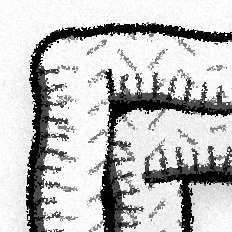
A closeup from Intertwined #137 at 3240px after post-processing
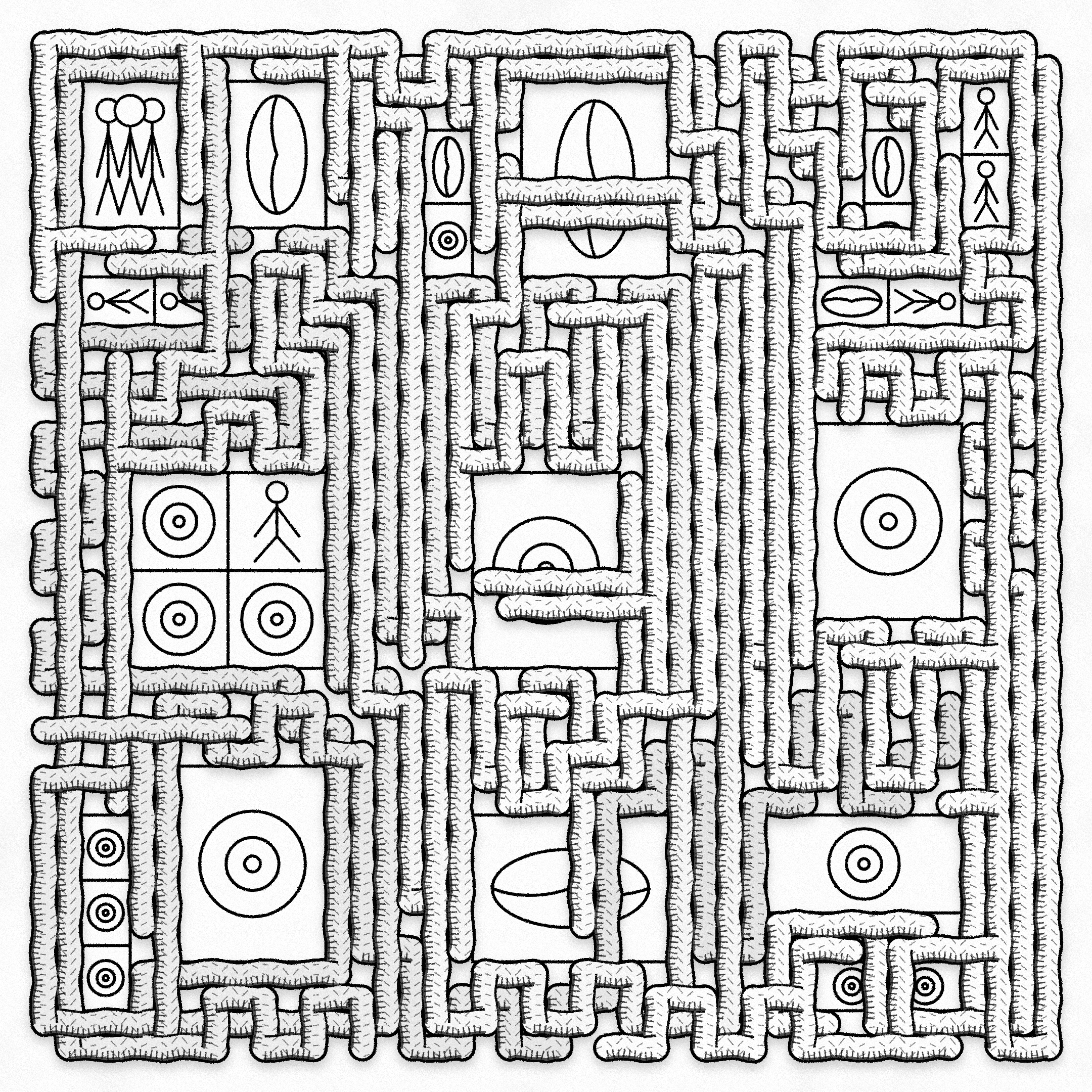
Intertwined #137 collected by charliesurf.tez after post-processing
index.html file (which I believe better fits the ethos of blockchain than storing multiple files
on decentralized storage). The development experience with parcel was really frictionless, and if you're okay
with using p5's instance mode, definitely check it out.
Since I forgot to include a license with the source code, I am setting the license for Intertwined to: CC BY-NC 4.0.
With this license you can:
Share — copy and redistribute the material in any medium or format Adapt — remix, transform, and build upon the material
Under the following terms: Attribution — You must give appropriate credit, provide a link to the license, and indicate if changes were made. You may do so in any reasonable manner, but not in any way that suggests the licensor endorses you or your use. NonCommercial — You may not use the material for commercial purposes.
Learn more about it here: https://creativecommons.org/licenses/by-nc/4.0/. And if you have any doubts, feel free to reach out to me.
Presale collectors:
Artist friends that collected:
Those that helped spread the word in the fxhash Discord (these are Discord usernames):
Well-known collectors:
Media Coverage:
If I missed anyone, please let me know and I'll add you to the list.